


Resetting the Headset to Factory
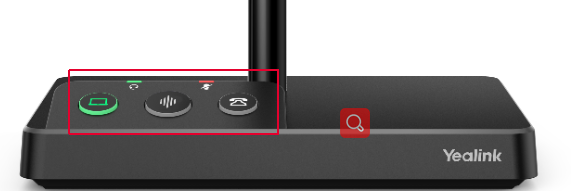
- Hold the PC button and Phone button for 6 seconds at the same time.
- After 6 seconds there is a voice prompt “Factory Reset”.
- Unplug the power and USB from the Yealink headset base for about 10 seconds.
- Reconnect the power and USB
Last Updated on September 16, 2024
Last Updated on September 16, 2024