


Call Filters & Blocking allows an individual extension to filter and block incoming calls based on a set of rules. As an example a user can filter all anonymous calls to go straight to voicemail or set a specific number to ring busy each time it calls.
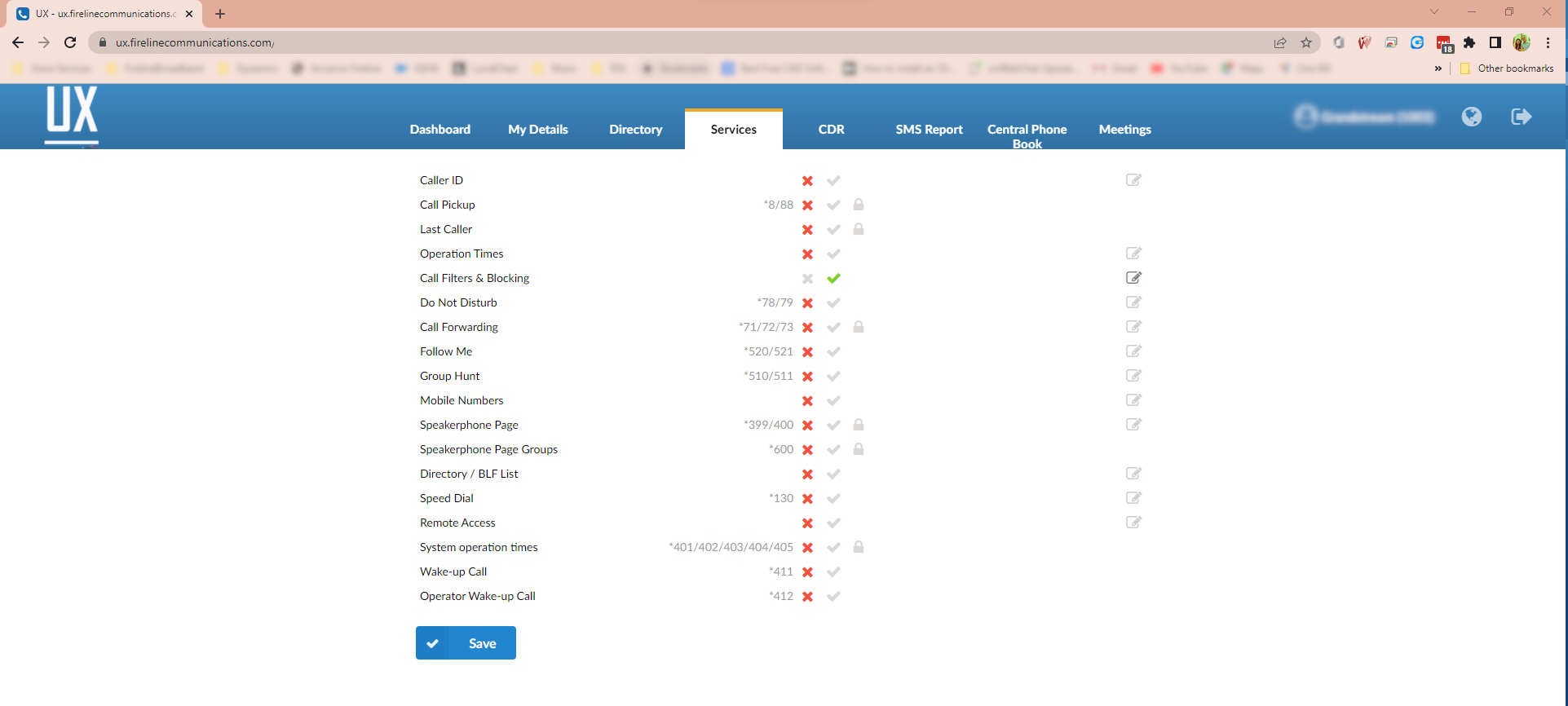
Each service has two or more accessibility options:
 Unavailable
 Available
 PIN Required
  Edit
Edit
To enable Call Filters & Blocking, select the Available icon and then click Save.
Click on the Edit button to configure the feature.
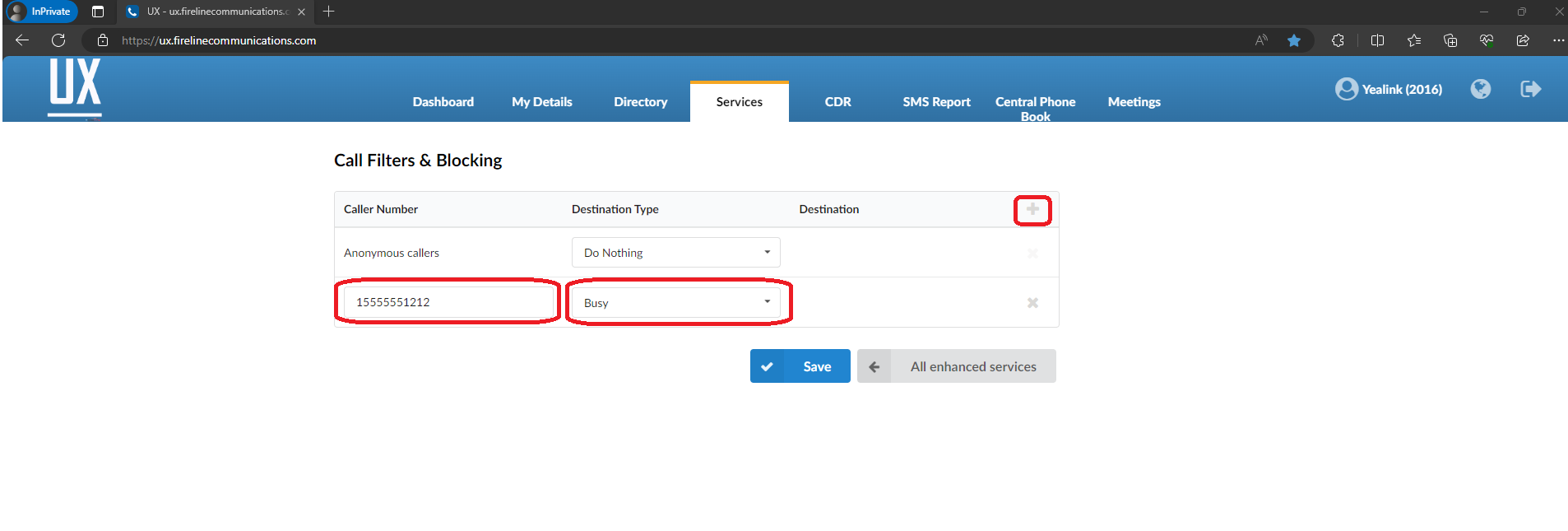
- By default the screen will open showing Anonymous callers set to Do Nothing. You can change this to the desired setting or leave as is.
- To add a new entry click the + symbol to the right of Destination.
- Under Caller Number add the telephone number of the caller you would like to filter or block.
- Select the drop down list for destination type and select from one of the 6 options.
- Call Forward Number
- No Answer
- Busy
- Voicemail
- Not in service
- Ringtone
- To add an additional entry, click the + symbol or if you are done, click on the Save button.
All calls matching that number will now be sent to the destination you defined.
Version01.02022024
Last Updated on February 2, 2024