


SMTP Services allow the system to send out email regarding the system. These email include things like system alerts, voicemail notifications, etc.
To access the SMTP configuration
- Click the Admin Settings button located at the bottom of the left Menu

- The Menu will change to Admin Settings Menu
- Click on SMTP Configuration
Microsoft & Google OAuth
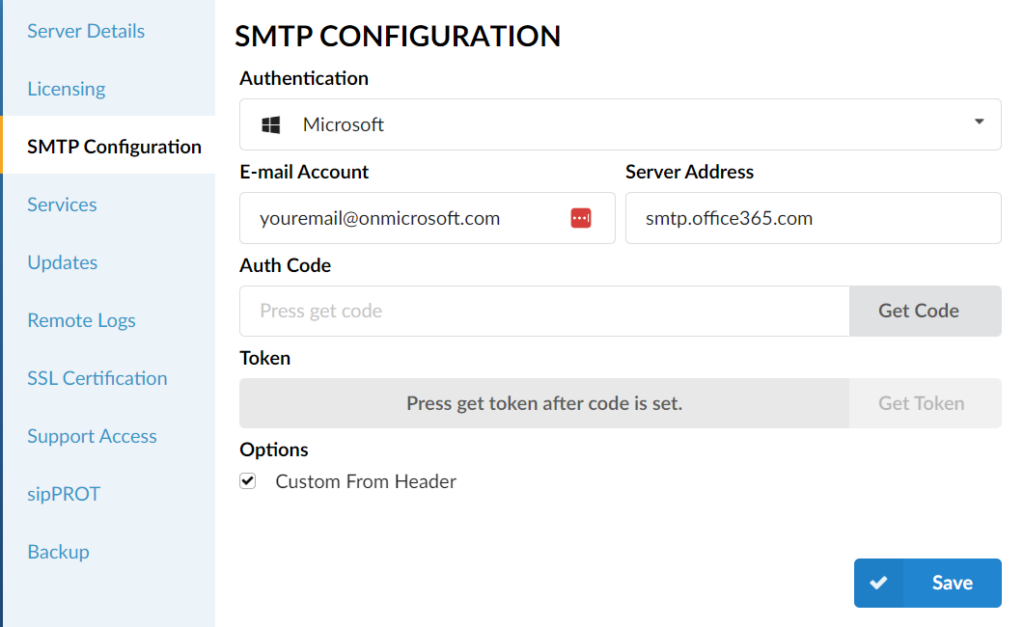
- Select the Authentication type from the drop down.
- Enter a valid email account.
- Server address should be automatically entered for you.
- Click Get Code
- Once the authorization code is presented, copy and pate it into the auth code field and click Get Token
- If all fields are correct, a notification will be displayed that the token is generated.
- Click OK
- Click Save
NOTE: Please note, for Google and Microsoft account setup, the e-mail address used must be the same as the one you used to log into your Google/Microsoft account.
Version02.03062024
Last Updated on June 18, 2025