


Resetting a Yealink phone to factory default restores the device to its original out-of-the-box settings. This process removes all user-specific configurations, including:
-
SIP account registrations
-
Network settings (static IP, VLAN, etc.)
-
Custom ring tones and preferences
-
Provisioning server details
-
Administrator passwords
Steps
-
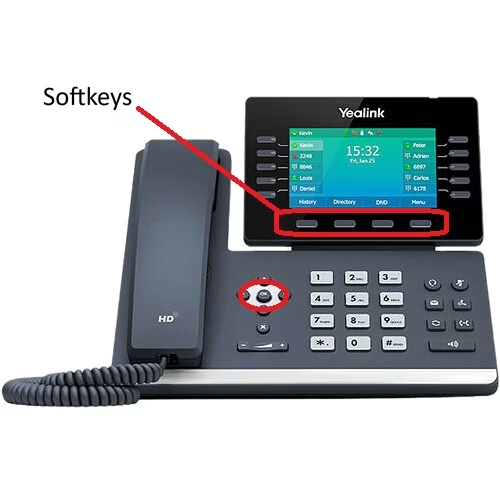
On the phone, press and hold the OK button for about 15 seconds.
Note: For T57 Series, hold the Redial button for 15 seconds. - The display will change to Factory Reset ?
- Select the Yes softkey
- Select the OK softkey
- The telephone will reboot.
If you are setup for auto-provisioning your phone will reconfigure itself.
If you do not have auto-provisioning you can now access the phone with default username and password.
Last Updated on February 26, 2026