


Fireline Communications is fully committed to fighting Robocalls and other unwanted callers. You may have noticed you are now receiving a prepended message on your inbound caller id, identifying possible SPAM, FRADULENT, and ROBOCALL callers. We are participating with the FCC and other carriers in the sharing of information regarding Robocallers and other types of unwanted calls. As part of the TRACED ACT (Telephone Robocall Abuse Criminal Enforcement and Deterrence Act) we have implemented STIR/SHAKEN technology as well as other monitoring techniques in our effort to combat these practices. This is just the beginning! We hope that some of these activities have will have an immediate impact on your services and we look forward to providing you with additional tools in the future.
Reporting Unwanted Calls
| Threat | Where to Report |
|---|---|
| Abusive or deceptive telemarketing | reportfraud.ftc.gov |
| Spoofed or scam calls | fcc.gov/complaints |
| Illegal robocalls | reportfraud.ftc.gov |
| Spam texts | Forward to 7726 (SPAM) |
How to Block Unwanted Calls
Self-Care Portal
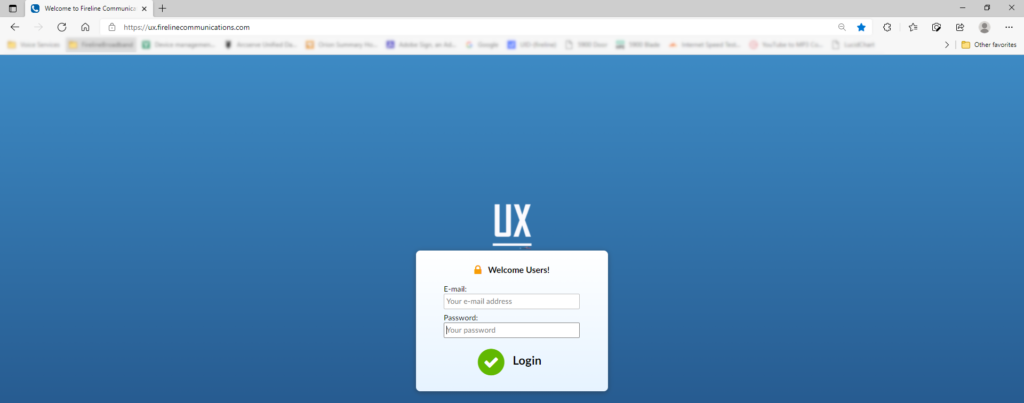
Each user is provided access to the Self-Care portal for their individual extension. The Self- Care portal is accessible from the internet by browsing to https://ux.firelinecommunications.com. The portal provides information regarding extension status, call history, settings and more. All information and features set through the Self-Care Portal applies to the individual extension.
- Using your browser go to https://ux.firelinecommunications.com
- Login using the email and password associated with the extension you would like to access.
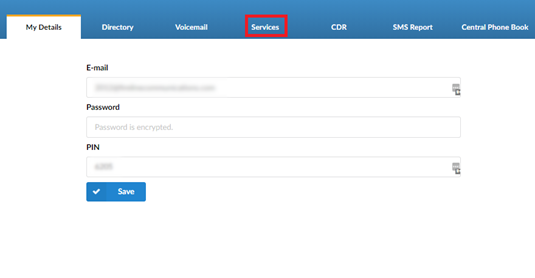
3. From the My Details page select Services
4. From the Services tab click the  to the right of Call Filters & Blocking then Save.
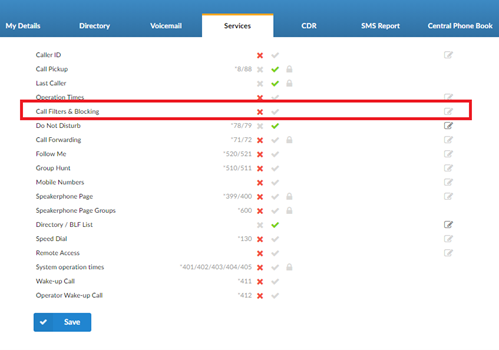
5. From the Services page click the Edit  button for Call Filters & Blocking.
6. In Call Filters & Blocking click the Plus  symbol to add a new record.
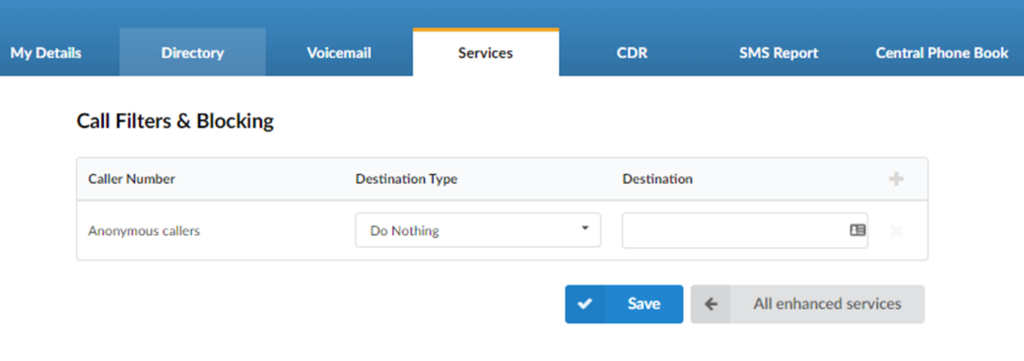
7. Under Caller Number enter the telephone number you would like to block.
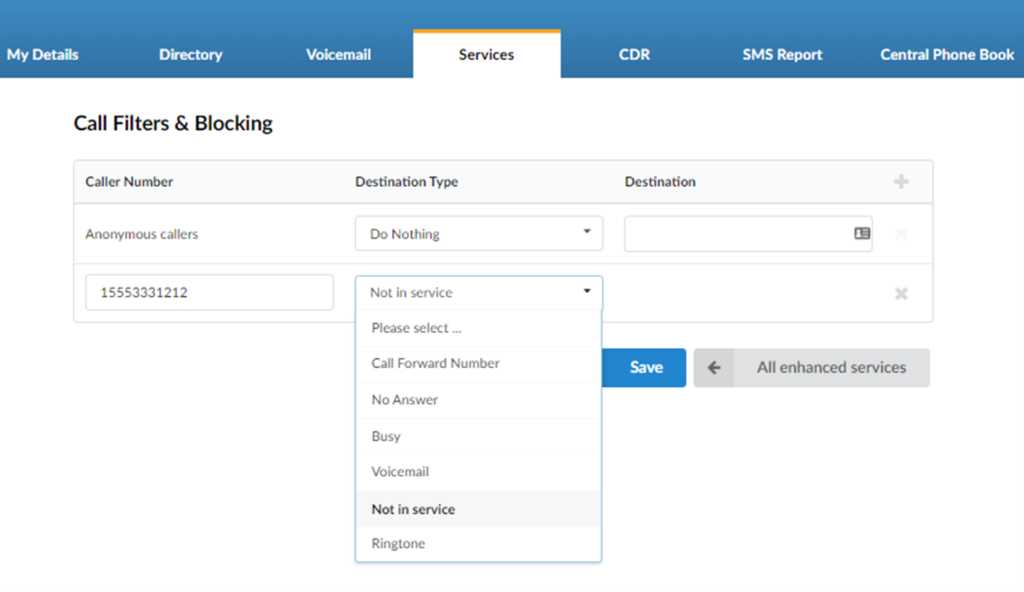
8. Under Destination Type, select Not in Service or Busy.
9. Click Save
10. To add another number, repeat steps 7 & 8.
11. If you’re finished, click Save.
12. You can click the logout button on the upper right corner of the screen.
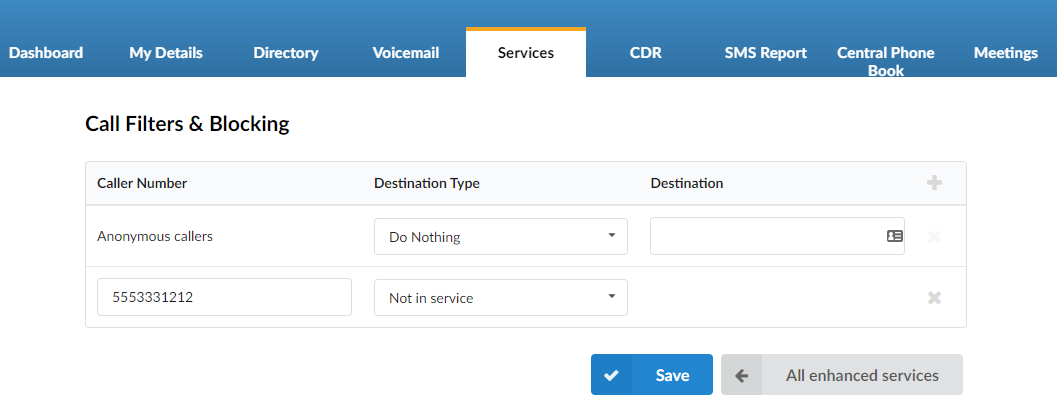
All calls from 5553331212 will now receive a “Number not in service” message when they reach your extension.
Version 01.09162021
Last Updated on July 28, 2026