


Resetting a Yealink phone to factory default restores the device to its original out-of-the-box settings. This process removes all user-specific configurations, including:
SIP account registrations
Network settings (static IP, VLAN, etc.)
Custom ring tones and preferences
Provisioning server details
Administrator passwords
Steps
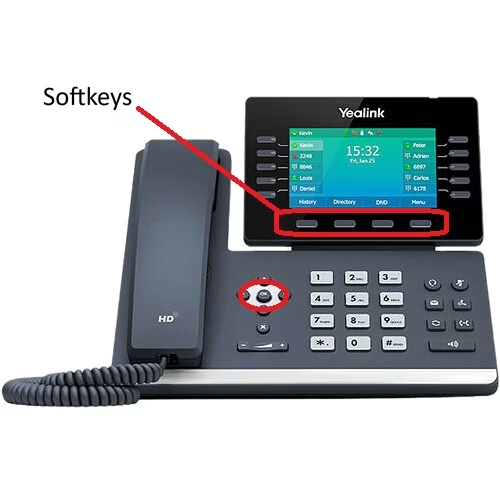
On the phone, press and hold the OK button for about 15 seconds.
Note: For T57 Series, hold the Redial button for 15 seconds.- The display will change to Factory Reset ?
- Select the Yes softkey
- Select the OK softkey
- The telephone will reboot.
If you are setup for auto-provisioning your phone will reconfigure itself.
If you do not have auto-provisioning you can now access the phone with default username and password.
Last Updated on February 26, 2026