


Outlook365
- Find the email that you want to stop from going into your SPAM folder.
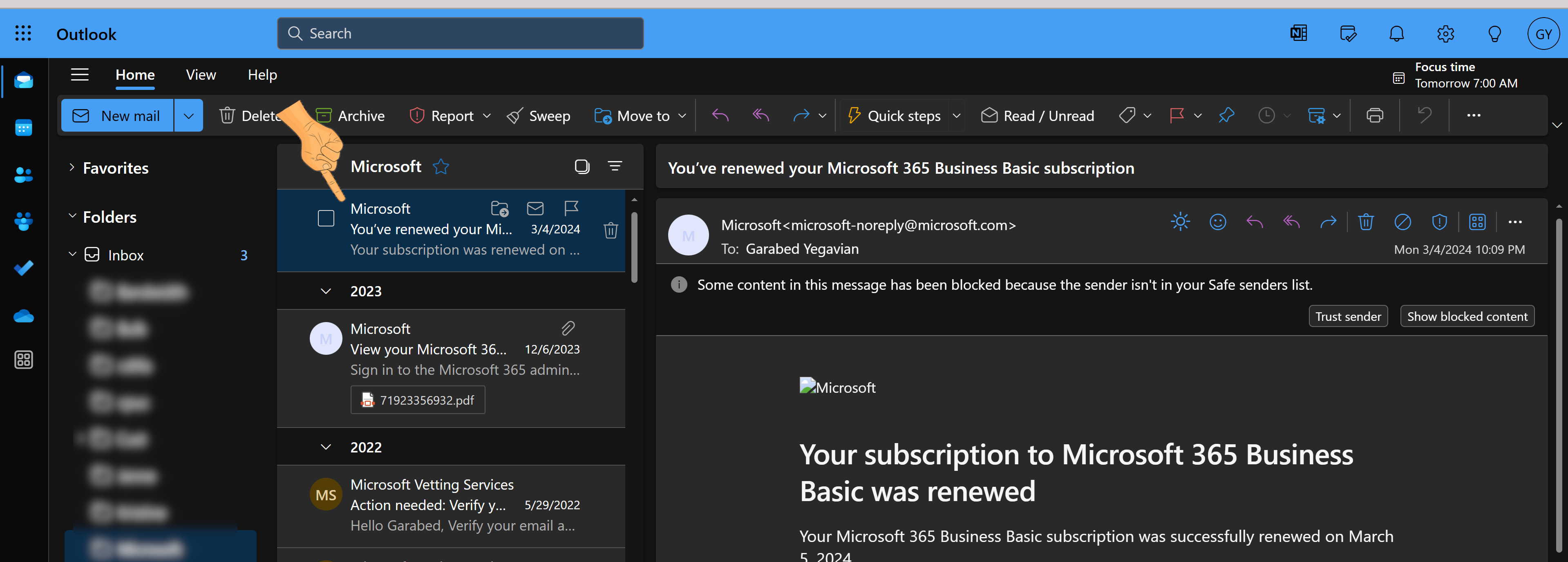
2. Right click on the selected email to view the menu pop up
3. Scroll down the menu to Block and click on Never block sender
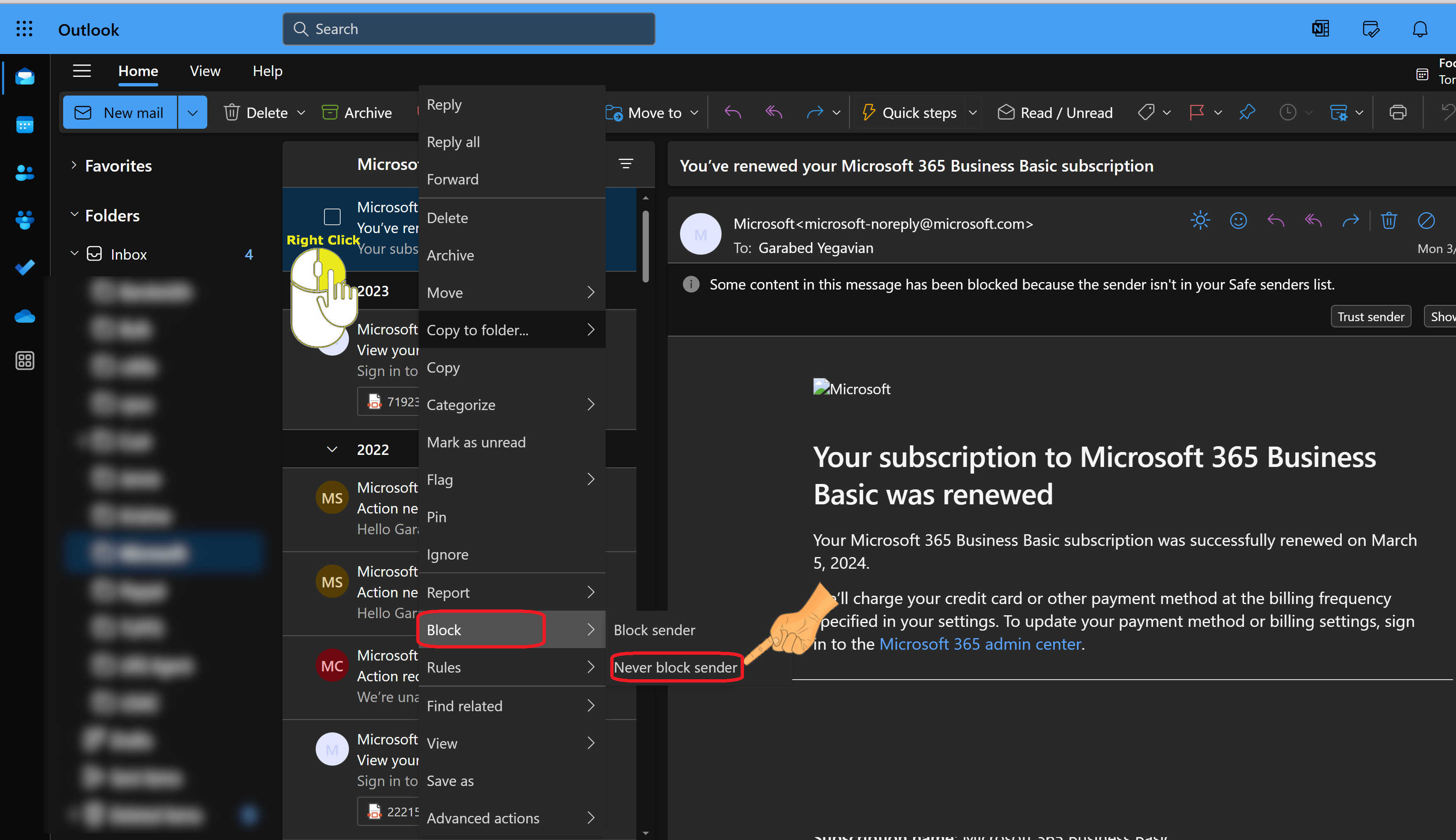
4. The email address will be added to your whitelist and no longer go into your spam folder.
Version 01.07192024
Last Updated on June 5, 2025
Last Updated on June 5, 2025