


For users who are programming their phones via the telephone interface or web interface. If you are using auto provisioning please make any updates through the provisioning console.
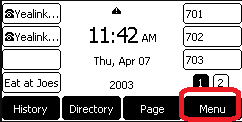
In this example we are going to erase the 4 key labeled Eat at Joes.
- From the telephone press the Menu softkey.
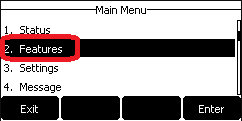
- Select Option 2 Features.
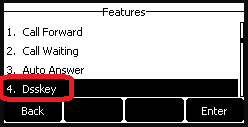
- Select Option 4 Dsskey
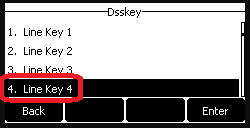
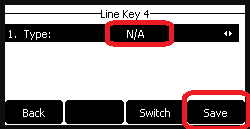
- Use the down arrow to move to and select the Line Key you want to remove. In this case Line Key 4.
- Using the right arrow key move the type from Speed Dial to N/A and click Save.
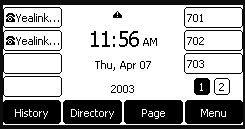
- Click the back button until you return to the Home screen where you will find button 4 is now blank.
Last Updated on April 8, 2022